Blog
Booking Haircuts with SSIDs: The Danger of Easy-to-Remember Network Identifiers
Wi-Fi network IDs shouldn’t expose customer data—but this one did.
What started as a routine network check turned into a real-world data exposure involving a local business with hundreds of customers.
Note: At the time of writing, I am waiting for a response from the business on what further actions were taken, and the data in question remains public. Business names and contacts are therefore not mentioned. I will update this post if the situation changes.
Background
Like many people who work in or around networking, I tend to obsess over performance. I run a home network with a mix of wired and wireless devices—desktops, mobile devices, IoT, and everything in between. And when something feels off, I dig.
Recently, I noticed degraded wireless internet performance and started investigating interference using my router’s wireless monitoring tools. One of the features available shows nearby wireless networks detected within range of my router and access point. While scanning through the list, one entry stood out immediately—it was an email address.
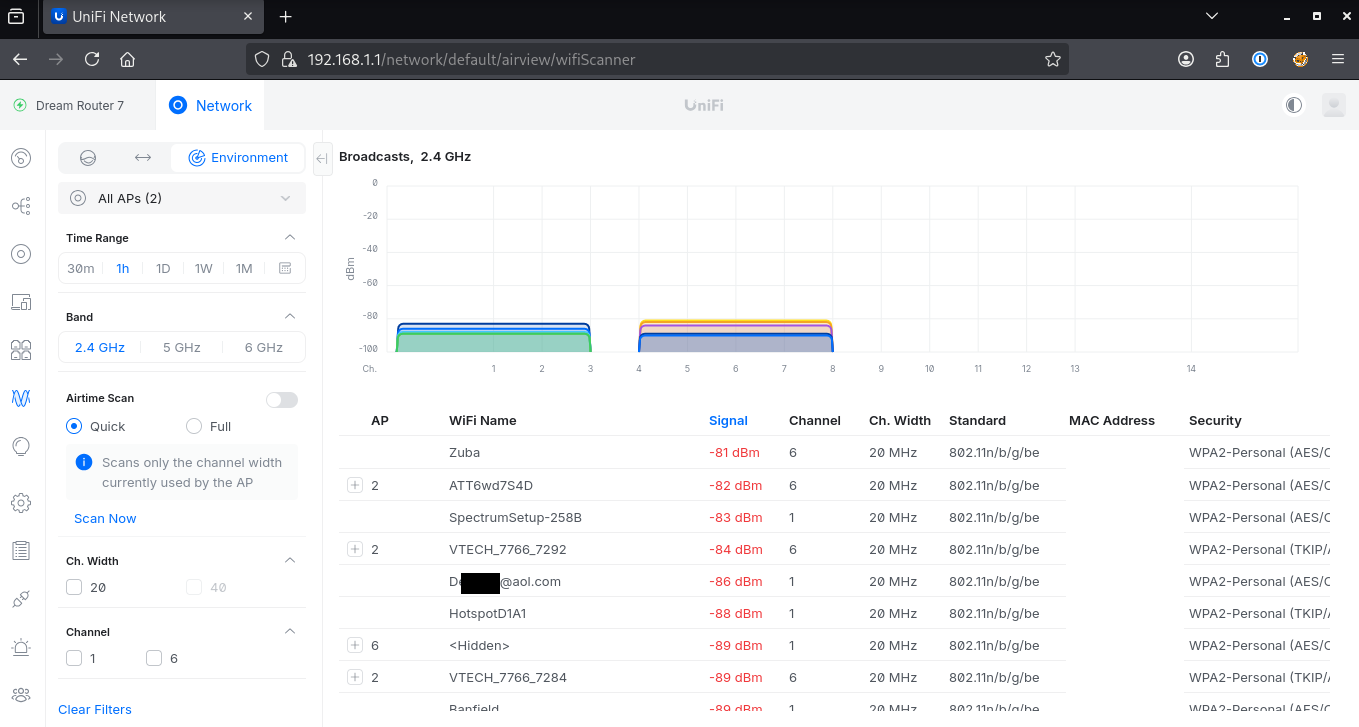
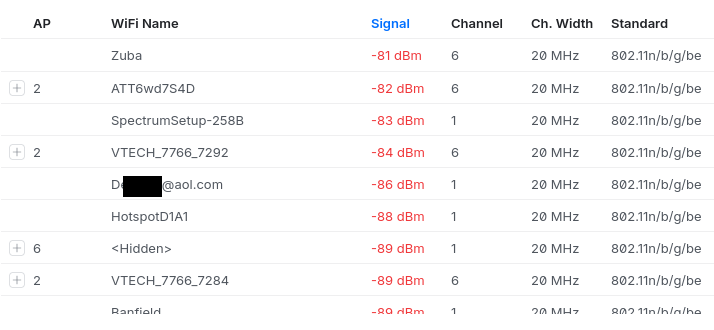
My home network features a Ubiquiti Dream Router 7 with a wireless access point in a mesh network. Figures 1 and 2 show AirWave, one of the included wireless network management tools, and a list of wireless networks it has identified within range of its broadcast.
But that email address caught my attention. That’s not something I would expect to see as a network SSID.
From SSID to Search Engine
Seeing an email address used as a network name is unusual, but not unheard of.
Still, it raised a concerning point:
If this email is being broadcast locally, where else might it appear?
Using the most basic OSINT techniques, I searched the email address using a standard search engine.
A few general results came back, no surprise. But one of the top results was a little more interesting:
It was an Excel file.
As shown below, searching for this email address returned a link to a downloadable spreadsheet hosted on a WordPress site.
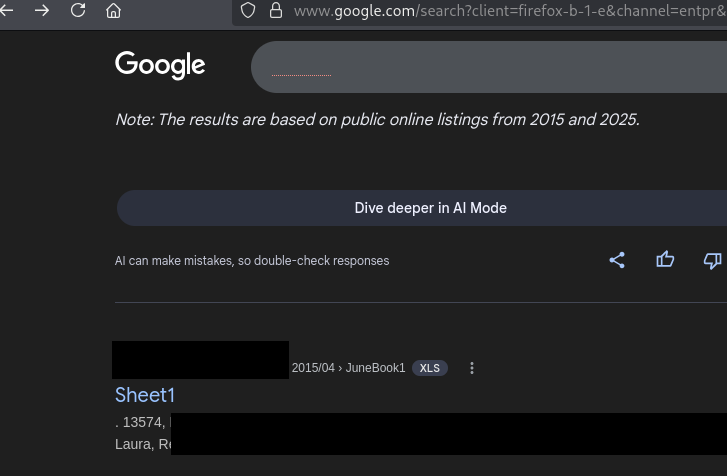
From the file name and URL, it appeared to be related to a local hair salon. At this point, the situation shifted from curiosity to concern.
Discovery of Publicly Accessible Client Data
The Excel file was publicly accessible, requiring no authentication, and was indexed by search engines. Anyone with the link, or the right search query, could access it.
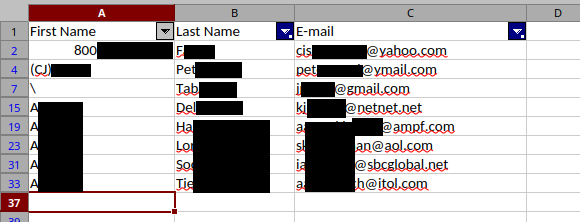
With that in mind, I opened the file carefully and viewed only a minimal portion necessary to understand its contents. After removing blank entries, there appeared to be a few hundred records. To validate the data, I confirmed that the original email address I searched for was present in the dataset.
The document contained:
- First names
- Last names
- Email addresses
At this point, it was clear that this was not test data—it was real customer information.
Risk and Impact
The risk here was straightforward but significant.
Because the file was:
- Publicly accessible
- Indexed by search engines
- Containing direct identifiers (names + email addresses)
It created a realistic opportunity for abuse.
This type of data could be used for several nefarious purposes. For example, attackers could craft highly convincing emails referencing appointments or services from the salon that customers would trust and engage with.
Additionally, the fact that the file was not linked anywhere on the main website suggested it was likely unintentionally exposed, rather than deliberately published. To confirm this, I reviewed the salon’s public website and did not find any references to the file. I also performed additional targeted searches for similar files and did not identify any others.
Working Within Ethical Boundaries
Because I did not have permission to perform deeper testing, I limited my actions to publicly accessible data.
Specifically, I:
- Avoided interacting with the data beyond minimal validation
- Did not attempt to enumerate additional files or endpoints
- Did not download or process the dataset beyond what was necessary
- Focused only on confirming the exposure and its impact
Maintaining these boundaries is critical in situations like this. Overstepping can quickly turn a good-faith discovery into something problematic.
Responsible Disclosure
With the issue confirmed, I prepared a responsible disclosure to the business.
The salon’s website listed a general contact email, which I used to report the issue. My disclosure included:
- A link to the exposed file
- A redacted screenshot showing sample data
- Evidence that the file was indexed by search engines
- Clear, non-technical remediation steps
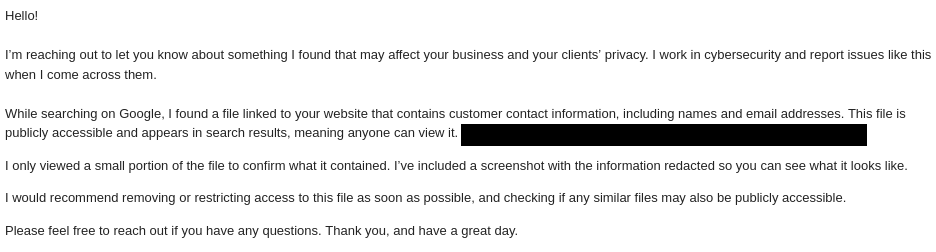
The goal was to make the issue understandable and actionable for a non-technical audience. I submitted this disclosure to the business on March 29th, 2026 and followed up again on April 6th, 2026.
Lessons Learned
-
Small signals can lead to meaningful discoveries
Something as simple as an unusual SSID led directly to a real-world data exposure. -
Public data exposure is often unintentional
In this case, the file was not linked anywhere obvious, suggesting it was likely uploaded without proper access controls. -
Impact matters more than complexity
This was not a sophisticated exploit—it was a simple misconfiguration with real consequences. -
Stay within scope
Without explicit permission, limit actions to passive observation and minimal validation. -
Document everything
Having a clear record of what you did—and didn’t do—is essential for responsible disclosure. -
Communication is as important as discovery
A well-written, non-technical report increases the likelihood that the issue gets fixed quickly.
How to Prevent This
Situations like this are often the result of simple oversights rather than complex vulnerabilities. Fortunately, a few basic practices can significantly reduce the risk of exposing customer data.
1. Avoid Storing Sensitive Data in Public Web Directories
Files uploaded to a website’s media or uploads directory may be publicly accessible by default. Customer data should never be stored in locations accessible without authentication.
- Store sensitive files in restricted systems
- Use access controls to limit access
2. Regularly Audit Publicly Accessible Files
Many businesses are unaware of what content is exposed on their own website.
- Use search queries such as:
site:yourdomain.com filetype:xlsxor
site:yourdomain.com filetype:csv
3. Use Proper Access Controls & Permissions
If files must be hosted online:
- Require authentication
- Avoid direct public links
- Use expiring or permission-based sharing
4. Don’t Rely on “Hidden” URLs for Security
If a file is publicly accessible, it can be discovered—even if it’s not linked. Security should rely on access control, not obscurity.
5. Use Third-Party Tools Carefully
Booking systems or plugins may generate files in public directories.
- Ensure exported data is not publicly accessible
- Verify integrations do not expose sensitive data
Final Thoughts
This was a reminder that meaningful security issues don’t always come from advanced tooling or deep exploitation. Sometimes, they come from paying attention to small details and following where they lead.
In this case, that path started with a wireless network identifier—and led to the discovery of exposed customer data that could have impacted hundreds of individuals if left unaddressed.